
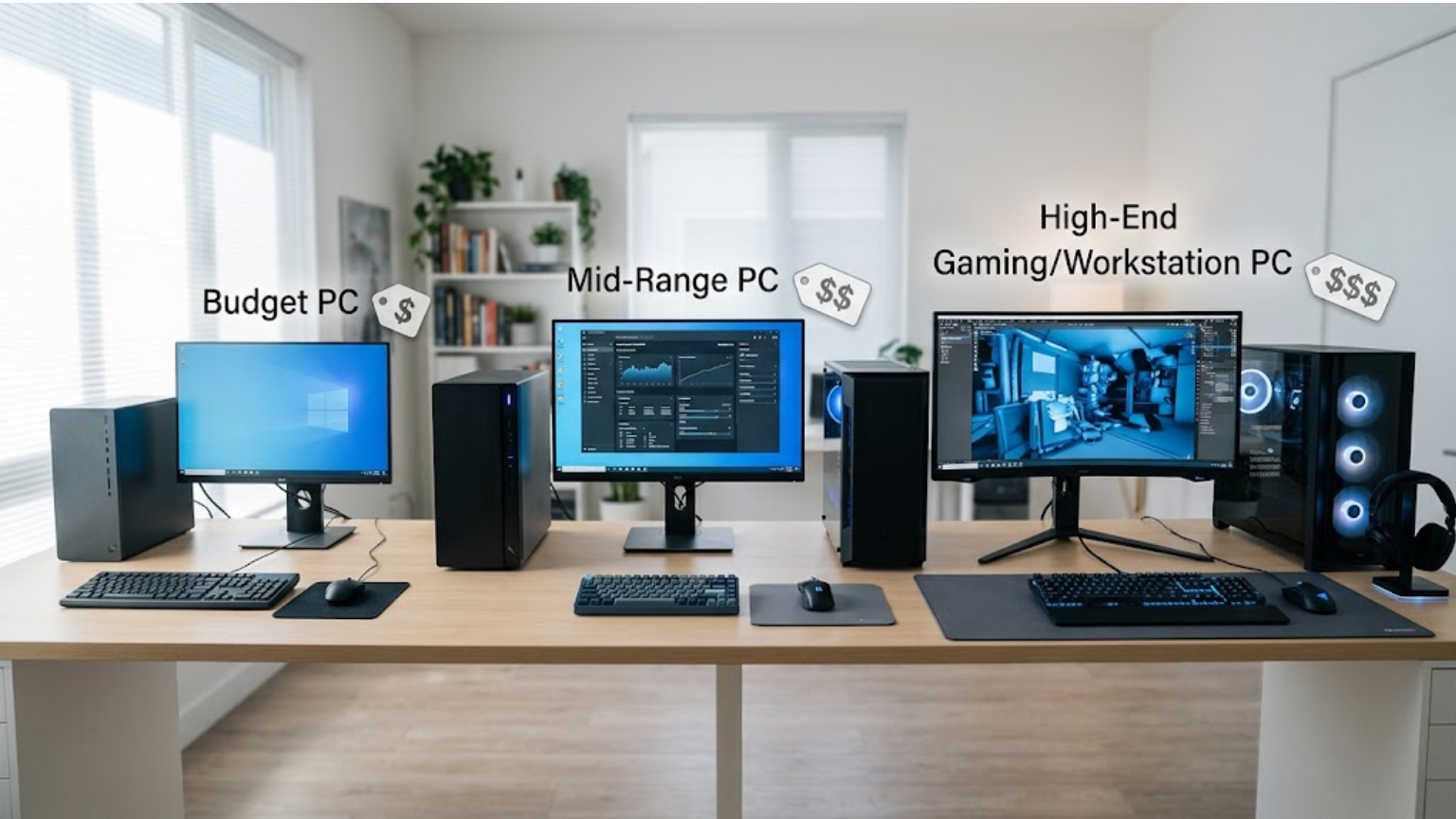
Personal computers can cost anywhere from about $400 to several thousand dollars. The right price depends on what you need the computer to do.
A basic PC for browsing, schoolwork, documents, and streaming may cost around $400 to $700. A stronger everyday computer often falls between $700 and $1,200. Gaming PCs and workstations can cost much more.
You do not need the most expensive computer to get good performance. Start with your needs, then choose hardware that fits your budget.
How Much Does a Personal Computer Cost?
Here is a general price guide:
| PC type | Typical price range | Good for |
| Basic PC | $400–$700 | Browsing, documents, schoolwork |
| Mid-range PC | $700–$1,200 | Work, study, multitasking |
| Performance PC | $1,200–$2,000+ | Editing, programming, demanding apps |
| Gaming PC | $800–$3,000+ | Gaming and streaming |
| High-end workstation | $2,000–$5,000+ | Professional and heavy workloads |
These are general budget ranges, not fixed prices. Computer prices change, and two PCs at a similar price can have very different hardware.
For example, a $600 PC may be a good choice for schoolwork but a poor fit for demanding games. A $1,500 gaming PC may be unnecessary for someone who mainly uses a browser, Word, video calls, and basic apps.
What Can You Get for $400 to $700?
This is a practical range for basic computer use.
A PC in this range can handle tasks such as:
- Web browsing
- Online classes
- Microsoft Office
- Google Docs
- Video calls
- Streaming
- Basic photo editing
- Everyday software
Look at the processor, RAM, and storage instead of judging the computer by price alone.
For many basic users, 8GB to 16GB of RAM is enough. If you regularly keep many browser tabs and apps open, 16GB gives you more room to work.
Storage matters too. A 256GB SSD can work for light use, while a 512GB SSD gives you more space for apps, photos, documents, and other files.
See Also: How to Fix a Slow PC: 12 Practical Ways to Speed Up Windows
What Can You Get for $700 to $1,200?
This range gives you more room for a faster and longer-lasting everyday PC.
You can look for:
- A stronger modern processor
- 16GB of RAM
- A 512GB or 1TB SSD
- Better cooling
- More upgrade options
- Better graphics performance on some models
This range can work well for students, office workers, freelancers, programmers, and general PC users.
For example, a student may use a browser with several tabs, attend online classes, write assignments, edit presentations, and use AI apps. A good mid-range PC can handle these tasks without paying for high-end gaming hardware.
How Much Does a Gaming PC Cost?
Gaming PCs cover a much wider price range because the graphics card has a major effect on performance.
A basic gaming PC can start around $800, while a stronger system may cost $1,000 to $2,000. High-end gaming PCs can cost $3,000 or more.
For gaming, pay close attention to the graphics card. A powerful processor alone does not make a PC suitable for demanding games.
Your monitor also matters. A system built for 1080p gaming does not need the same hardware as one designed for high-refresh-rate 1440p or 4K gaming.
Think about the games you actually play. Someone who plays lighter games has different needs from someone who wants to run demanding new releases at high settings.
How Much Should Students Spend on a PC?
Most students do not need an expensive computer.
For writing assignments, research, presentations, online classes, programming basics, browsing, and video calls, a $500 to $900 budget can be reasonable.
You may need a more powerful computer if your studies involve:
- Video editing
- 3D design
- Engineering software
- Architecture
- Game development
- Machine learning
- Other demanding programs
Check the hardware requirements for the software you need before buying. A student studying accounting may need very different hardware from someone studying 3D animation.
What Makes a Computer More Expensive?
Several components have a direct effect on a PC’s price.
Processor
The processor, or CPU, handles many of the calculations your computer performs. More capable processors generally cost more.
You do not need the most expensive CPU for basic work. A good mid-range processor can handle browsing, office tasks, studying, and many programming tasks.
RAM
RAM helps your computer manage multiple programs and tasks at the same time.
For lighter use, 8GB can be enough. 16GB is a better target for many users who multitask. Gaming and demanding workloads may require more.
Storage
An SSD stores your operating system, programs, games, and files.
Common capacities include:
- 256GB
- 512GB
- 1TB
- 2TB
If you keep large games, videos, photos, or project files on your PC, choosing more storage can save you from running out of space.
Graphics Card
The GPU matters most for gaming, 3D work, video production, and other graphics-heavy tasks.
A basic home or school PC may not need a dedicated graphics card. Integrated graphics can be enough for many everyday activities.
Gaming PCs often use a dedicated GPU, which increases the price but provides much better graphics performance.
Build Quality and Upgrade Options
Two PCs can have similar processors and RAM but different prices.
One may have better cooling, a stronger power supply, a better motherboard, or more room for future upgrades.
If you plan to keep your PC for several years, upgrade options can be worth considering.
Don’t Forget the Other Costs
The price of a desktop PC may not cover your entire setup.
You may also need:
- Monitor
- Keyboard
- Mouse
- Speakers or headphones
- Webcam
- Wi-Fi adapter
- Printer
- External storage
For example, a $600 desktop is not really a $600 setup if you still need to buy a monitor and keyboard.
Laptops are different because the screen, keyboard, touchpad, battery, and other basic parts are already included.
Is a Desktop PC Cheaper Than a Laptop?
It depends on what you compare.
A desktop can offer more performance for the money because it does not need a built-in screen, battery, keyboard, and compact design.
Desktops are also often easier to upgrade. Depending on the system, you may be able to add RAM, replace storage, or install a better graphics card later.
A laptop costs more for its portability. You can take it to class, work, or another room without setting up a separate monitor and keyboard.
If you mainly use a computer at home, a desktop may offer better value. If you move between classes or work in different places, a laptop may be worth the extra cost.
See Also: How to Clean a Laptop Keyboard Safely
How Much Should You Spend on a Personal Computer?
Your budget can start with these ranges:
$400–$600: Good for basic browsing, schoolwork, documents, streaming, and simple apps.
$600–$1,000: A good target for many students, home users, office workers, and people who want comfortable everyday performance.
$1,000–$1,500: Suitable for stronger multitasking, programming, creative work, and some gaming.
$1,500–$2,500: Better suited to serious gaming, video editing, development, and other demanding tasks.
$2,500+: Usually makes sense for high-end gaming, professional software, specialized workloads, or users who need very high performance.
These are budget guidelines, not strict rules. You may find a suitable PC for less, or you may have a specific reason to spend more.
How to Get More for Your Money
Start by deciding what you will do with the computer.
If you mainly browse the web and write documents, focus on a reliable PC with enough RAM and SSD storage. You probably do not need a powerful graphics card.
If you play games, give more of your budget to the GPU.
If you edit large videos, work with 3D software, or run demanding development tools, look for a stronger processor, more RAM, and enough storage.
Also check whether the PC can be upgraded. A system that lets you add RAM or storage later can give you more flexibility.
Do not judge a PC by one specification. A large storage drive cannot make up for a weak processor, and a powerful CPU does not automatically make a computer good for gaming.
What PC Specs Do Most People Need?
For many everyday users, a sensible starting point is:
- Modern mid-range processor
- 16GB RAM
- 512GB SSD
- Integrated graphics for basic use
- Suitable operating system
Your needs may be different. A gamer, video editor, AI user, or 3D designer may need much stronger hardware.
Before buying, list the programs and tasks you use most often. Then choose a computer that meets those requirements without paying for performance you will never use.
Final Answer: How Much Do Personal Computers Cost?
A basic personal computer usually falls around $400 to $700. A good everyday PC often costs $700 to $1,200. Gaming PCs can start around $800 and reach several thousand dollars, while professional workstations can cost even more.
For most people, the best PC is not the most expensive one. It is the one that handles their daily tasks without wasting money on hardware they do not need.
Set your budget, decide what you will use the computer for, and compare the processor, RAM, storage, graphics, upgrade options, and total setup cost before buying.
About the Author

1 thought on “How Much Do Personal Computers Cost? Find the Right PC for Your Budget”