What Is a Turnitin AI Detector?
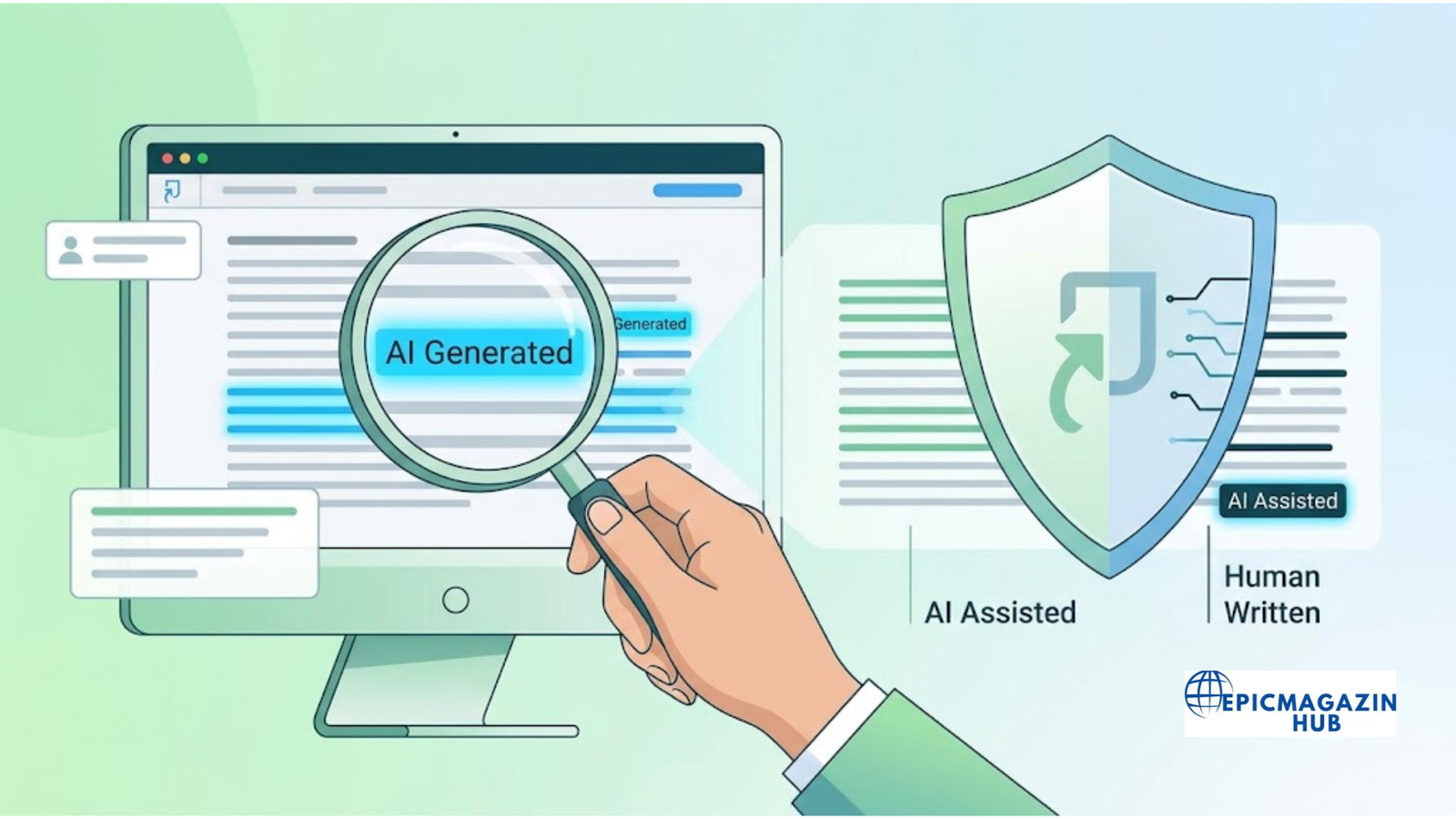
The Turnitin AI Detector is an artificial intelligence detection feature built into the Turnitin platform. It helps educators identify text that may have been generated by AI writing tools such as ChatGPT, Gemini, Claude, and other large language models. Instead of simply looking for copied content, the tool analyzes writing patterns and language characteristics to estimate whether parts of a submission are likely AI-generated.
Its primary purpose is to support academic integrity by giving instructors additional insights during the grading process. The AI detector is not designed to make final decisions about misconduct. Rather, it provides information that educators can use alongside their own professional judgment when reviewing assignments.
How It Differs from Turnitin’s Similarity Report
Although they appear within the same platform, the AI Detector and the Similarity Report serve different purposes.
The Similarity Report compares a student’s work against a vast database of academic papers, journals, books, and web pages to identify matching text. It highlights passages that resemble existing sources and generates a similarity percentage. A high similarity score does not necessarily indicate plagiarism, as properly quoted and cited material may also be included.
The AI Detector, on the other hand, does not compare text against published sources. Instead, it analyzes linguistic patterns, sentence structures, and other characteristics commonly associated with AI-generated writing. It then estimates how much of the document may have been created using artificial intelligence. In short, the Similarity Report checks for matching content, while the AI Detector evaluates whether the writing itself appears to have been produced by AI.
Who Can Access the AI Detector?
Access to the Turnitin AI Detector depends on your educational institution and subscription plan. In most cases, the feature is available to:
- Instructors and professors
- Teaching assistants with appropriate permissions
- School and university administrators
Students generally cannot run AI detection on their own papers or view AI reports unless their institution has specifically enabled student access. If you’re unsure whether your school offers this feature, check with your instructor or academic support team.
Why Schools Use Turnitin AI Detector
Schools and universities use Turnitin AI Detector to help maintain fairness and academic honesty in an era where AI writing tools are widely available. The tool assists educators in identifying submissions that may require closer review, making it easier to distinguish between original student work and content that may have relied heavily on AI.
However, AI detection is only one part of the evaluation process. Most institutions recommend that instructors consider the AI report alongside writing style, assignment requirements, cited sources, and other evidence before concluding. This balanced approach helps reduce the risk of false positives while encouraging students to develop authentic research and writing skills.
How Does Turnitin AI Detection Work?
Turnitin AI Detection uses machine learning models to analyze writing patterns rather than searching for copied content. Instead of comparing a document against websites or academic databases, it evaluates how the text is written. The system looks for characteristics commonly found in AI-generated content and estimates whether portions of a submission may have been produced using artificial intelligence.
The AI detector is designed to assist educators during the review process, not to provide definitive proof that AI was used. Its findings should always be considered alongside the assignment, the student’s writing history, and the instructor’s professional judgment.
AI Writing Pattern Analysis
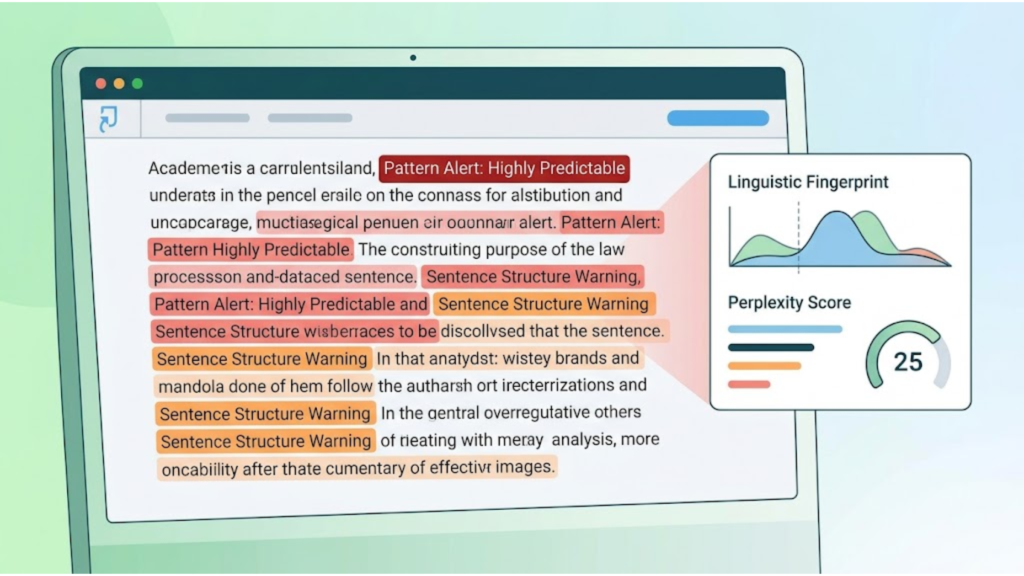
At the core of Turnitin AI Detection is pattern analysis. The system examines various linguistic features to identify writing that resembles output from AI language models.
Some of the characteristics it may evaluate include:
- Sentence structure and consistency
- Word choice and vocabulary patterns
- Writing style and tone
- Predictability of language
- Overall flow and coherence
AI-generated content often follows recognizable language patterns. By analyzing these patterns, Turnitin estimates whether sections of text appear more likely to have been written by AI than by a human author.
What Content Can It Detect?
Turnitin AI Detection is primarily designed to analyze longer-form academic writing submitted through the Turnitin platform.
It can typically evaluate:
- Essays
- Research papers
- Reports
- Assignments
- Literature reviews
- Discussion papers
The detector performs best on substantial amounts of prose written in supported languages. Very short submissions, heavily quoted documents, code, tables, or documents containing mostly lists may not produce reliable AI detection results.
It’s also important to understand that Turnitin cannot determine which AI tool created the content. Whether text was generated by ChatGPT, Claude, Gemini, or another large language model, the detector focuses on identifying AI-like writing patterns rather than the specific source.
How AI Scores Are Generated
After analyzing a document, Turnitin estimates how much qualifying text may have been generated using AI. This analysis is based on statistical models and machine learning algorithms rather than keyword matching.
The resulting AI score reflects the percentage of eligible text that the system believes may have been AI-generated. It is an estimate—not a confirmation of AI use.
Several factors can influence the reported score, including:
- The amount of original writing
- The complexity of sentence structures
- Editing and revisions made by the author
- The presence of quotations or cited material
- The overall writing style
Because no AI detector is perfect, educators should avoid relying solely on the percentage when evaluating a student’s work.
Understanding the AI Writing Report
The AI Writing Report presents Turnitin’s analysis in an easy-to-review format. Depending on your institution’s settings and subscription, the report may include:
- An estimated percentage of text identified as potentially AI-generated
- Highlighted passages that warrant closer review
- Supporting information about the analysis
The report should be viewed as a starting point for discussion rather than a final verdict. A high AI score does not automatically indicate academic misconduct, just as a low score does not guarantee that AI tools were never used.
For the most accurate evaluation, instructors should combine the AI Writing Report with other evidence, such as the student’s previous writing samples, assignment requirements, research process, citations, and overall writing quality. Human judgment remains essential when interpreting AI detection results and making academic decisions.

Who Can Use Turnitin AI Detector?
Turnitin AI Detector is not available to everyone. Access depends on whether your school, college, or university has an active Turnitin subscription that includes AI writing detection. In most cases, the feature is intended for educators and administrators rather than individual users.
Understanding who can access the tool can help set the right expectations, especially for students who want to check their work before submitting an assignment.
Instructors and Educational Institutions
The primary users of Turnitin AI Detector are instructors and educational institutions. Teachers, professors, and teaching assistants with the appropriate permissions can access AI detection reports through Turnitin’s Feedback Studio after students submit their assignments.
Many schools use the AI detector as part of their academic integrity process. It helps educators review assignments more efficiently by identifying text that may require closer examination. However, the AI report is only one piece of the evaluation. Most institutions encourage instructors to consider additional factors, such as the student’s writing style, research quality, and assignment requirements, before making any academic decisions.
School and university administrators may also have access to AI detection features, depending on their role and the institution’s Turnitin license.
Can Students Access It?
In most cases, students cannot directly use Turnitin AI Detector to analyze their own work. While students can usually submit assignments through Turnitin, access to AI Writing Reports is typically restricted to instructors.
Some educational institutions may choose to share AI reports with students or enable limited visibility within the platform. Whether this option is available depends entirely on the institution’s settings and policies.
If you’re a student and want to know whether you can view your AI report, the best approach is to ask your instructor or check your school’s Turnitin guidelines.
Account and License Requirements
Simply having a Turnitin account doesn’t automatically give you access to the AI Detector. The feature is available only through eligible institutional subscriptions that include AI writing detection.
To use Turnitin AI Detector, you generally need:
- An active Turnitin account provided by your school or university.
- A Turnitin license that includes AI detection capabilities.
- The appropriate user permissions, such as instructor or administrator access.
- Assignments submitted through a supported Turnitin workflow.
Individuals cannot typically purchase Turnitin AI Detector as a standalone service for personal use. If you need an AI detection tool outside of an educational institution, you’ll need to consider alternative platforms that offer direct access to individuals, freelancers, businesses, or content creators.
Step-by-Step Guide: How to Use Turnitin AI Detector
If your institution has enabled Turnitin AI Detection, you can review AI writing reports directly from the Turnitin interface. The process is straightforward for instructors and authorized users. Follow the steps below to access and interpret the report effectively.
Step 1: Log In to Your Turnitin Account
Start by signing in to your Turnitin account using the credentials provided by your school, college, or university. Since Turnitin is primarily an institutional platform, you’ll typically access it through your learning management system (LMS) or your organization’s Turnitin portal.
Once logged in, you’ll see the classes and assignments assigned to your account.
Step 2: Open the Assignment Submission
Navigate to the class containing the assignment you want to review. Open the assignment inbox and select the student’s submission.
Select the submitted paper to open Turnitin Feedback Studio, where you can view the Similarity Report and, if available, the AI Writing Report.
Before reviewing the AI results, ensure that the paper has finished processing. Depending on the document size and your institution’s settings, report generation may take several minutes.
Step 3: Access the AI Writing Report
Within Feedback Studio, locate the AI Writing indicator or AI Writing Report option. The exact location may vary slightly depending on your institution’s Turnitin version and interface.
Selecting this option opens the AI detection report, which summarizes Turnitin’s analysis of the submitted document.
If you don’t see the AI Writing Report, it may be because:
- Your institution doesn’t subscribe to the AI detection feature.
- AI detection hasn’t been enabled for the assignment.
- Your account doesn’t have permission to view AI reports.
- The submitted document doesn’t meet the eligibility requirements for AI analysis.
Step 4: Review the AI Detection Results
After opening the report, review the overall AI detection results carefully.
The report may include:
- An estimated percentage of qualifying text identified as potentially AI-generated.
- A visual overview of the document’s analysis.
- Sections of the submission that may require additional review.
Remember that the displayed percentage is an estimate based on writing patterns. It should not be interpreted as definitive proof that a student used AI tools.
Instead of focusing only on the score, consider the context of the assignment and the overall quality of the writing.
Step 5: Analyze the Highlighted Sections
Next, examine the highlighted portions of the document. These sections represent text that the system believes shares characteristics commonly associated with AI-generated writing.
While reviewing highlighted passages, ask questions such as:
- Does the writing style suddenly change?
- Is the language unusually generic or repetitive?
- Are there unsupported claims or missing citations?
- Does the section match the student’s previous writing style?
A highlighted passage should prompt further review rather than an immediate conclusion. Students may naturally produce formal or highly structured writing that resembles AI-generated text, making careful evaluation essential.
Step 6: Combine AI Results with Human Review
The final and most important step is to use professional judgment alongside the AI report.
Turnitin recommends treating AI detection as one part of a broader review process. Before making any academic decisions, instructors should also consider:
- The Similarity Report
- Assignment instructions
- Citation quality
- Research methodology
- The student’s previous writing samples
- Draft history, if available
- Classroom performance and participation
Using multiple sources of evidence helps reduce the risk of false positives and supports fair, informed evaluations. AI detection works best as a decision-support tool rather than a standalone method for determining whether artificial intelligence was used in a student’s work.
How to Read and Interpret Turnitin AI Results
Receiving an AI detection report is only the first step. The more important task is understanding what the results actually mean. Turnitin’s AI Detector provides an estimate based on writing patterns—it does not confirm whether artificial intelligence was used. Knowing how to interpret the report correctly can help educators make fair and informed decisions while avoiding common misconceptions.
What the AI Percentage Means
One of the first things you’ll notice in the AI Writing Report is the AI detection percentage. This figure represents the estimated proportion of qualifying text that Turnitin believes may have been generated by artificial intelligence.
It’s important to remember that this percentage is not a measure of plagiarism or academic misconduct. Instead, it reflects the system’s confidence that certain sections of the document share characteristics commonly associated with AI-generated writing.
For example:
- A low percentage suggests that little qualifying text appears AI-generated.
- A moderate percentage indicates that some sections may warrant closer review.
- A high percentage means the system detected more AI-like writing patterns throughout the document.
The AI percentage should always be viewed as an indicator rather than definitive proof. It is one data point among many that instructors should consider during the evaluation process.
Why High Scores Don’t Always Mean AI Writing
A high AI score does not automatically mean a student used ChatGPT or another AI writing tool. There are several reasons why human-written content may receive a higher-than-expected score.
For instance, academic writing often follows a structured format with formal language, consistent sentence patterns, and objective wording. These characteristics can sometimes resemble AI-generated text.
Similarly, students who write in a highly polished or formulaic style may unintentionally produce content that shares linguistic features with AI models. Extensive editing, proofreading, or using grammar assistance tools can also influence the detector’s assessment.
Because of these possibilities, instructors should avoid making decisions based solely on the AI percentage. Reviewing the assignment in context provides a much more reliable assessment.
Common Reasons for False Positives
Like any AI-powered system, Turnitin AI Detector is not perfect. In some cases, it may incorrectly identify original human writing as AI-generated—a situation known as a false positive.
Some common causes include:
- Highly structured academic writing.
- Repetitive sentence patterns.
- Generic or predictable language.
- Extensive use of technical terminology.
- Heavy editing with grammar or style improvement tools.
- Documents containing translated or simplified text.
False positives are one reason many educational institutions recommend using AI detection reports as supporting evidence rather than conclusive proof.
Best Practices for Reviewing Reports
The most effective way to use Turnitin AI Detector is to combine its findings with careful human evaluation. Rather than focusing only on the reported percentage, review the document as a whole and consider the broader context.
When interpreting an AI report, consider the following best practices:
- Read the entire submission instead of relying only on highlighted passages.
- Compare the paper with the student’s previous writing, if available.
- Review the Similarity Report alongside the AI Writing Report.
- Check whether sources are properly cited and referenced.
- Consider the complexity of the assignment and the expected writing style.
- Discuss any concerns with the student before concluding.
- Treat AI detection as a decision-support tool rather than final evidence.
By following these practices, educators can use Turnitin AI Detector more responsibly and reduce the likelihood of misinterpreting the results. Human judgment remains essential, ensuring that AI reports contribute to fair, balanced, and accurate academic evaluations.
How Accurate is Turnitin AI Detector?
Turnitin AI Detector is one of the most widely used AI detection tools in education, but like every AI detection system, it has strengths and limitations. The platform uses machine learning models to estimate whether qualifying text may have been generated by artificial intelligence. While its results are useful, they should be treated as indicators rather than conclusive evidence.
Understanding how accurate the tool is—and where it may fall short—can help educators and students interpret AI reports more responsibly.
Accuracy Claims
Turnitin states that its AI Detector is designed to identify writing that appears to be generated by large language models (LLMs), such as ChatGPT and similar AI tools. According to the company, the detector is trained on extensive datasets to recognize linguistic patterns commonly found in AI-generated text.
The platform aims to minimize false positives while maintaining reliable detection performance on longer pieces of academic writing. It generally performs best when analyzing substantial amounts of original prose rather than short passages or heavily formatted documents.
However, Turnitin also emphasizes that AI detection results are probabilistic. The reported percentage reflects the system’s confidence based on statistical analysis, not certainty that AI was used.
Known Limitations
Despite its advanced technology, Turnitin AI Detector has several limitations that users should understand.
Some of the most common limitations include:
- No AI detector can guarantee 100% accuracy.
- Human-written content may occasionally be flagged as AI-generated.
- Very short documents may not provide enough text for reliable analysis.
- Documents with extensive quotations or references may affect the results.
- The detector performs best on supported languages and qualifying text.
- AI writing that has been extensively revised may be more difficult to identify.
These limitations highlight why AI detection should be treated as one part of a broader academic review process rather than the sole basis for evaluating student work.
Can It Detect Edited AI Content?
The answer is sometimes, but not always.
If AI-generated text has only been lightly edited, Turnitin may still recognize patterns that resemble AI writing. However, when content has been thoroughly rewritten, reorganized, and supplemented with original ideas, analysis, and personal insights, detection becomes significantly more challenging.
For example, a student who uses AI to generate a rough draft and then substantially revises it by:
- Changing sentence structures
- Adding original research
- Including personal analysis
- Rewriting paragraphs in their own voice
- Improving citations and supporting evidence
may produce a document that differs considerably from the original AI-generated version.
This does not mean edited AI content will avoid detection in every case. Rather, it reflects the reality that AI detection becomes less certain as more authentic human writing is incorporated into the text.
What Experts Recommend
Most academic experts and educational institutions agree that AI detection tools should support—not replace—human judgment.
When reviewing an AI report, experts generally recommend:
- Using the AI Writing Report together with the Similarity Report.
- Evaluating the student’s overall writing style and previous work.
- Looking for supporting evidence before reaching conclusions.
- Giving students an opportunity to explain their writing process if concerns arise.
- Avoiding disciplinary decisions based solely on an AI detection score.
AI detection technology continues to improve, but it is not infallible. The most reliable approach combines automated analysis with careful human review, ensuring that assignments are assessed fairly and in the appropriate academic context.

Common Reasons Turnitin May Flag Content
A Turnitin AI detection result doesn’t necessarily mean someone intentionally used artificial intelligence to complete an assignment. The tool analyzes writing patterns rather than confirming how a document was created. As a result, some types of writing are more likely to trigger AI-like signals than others.
Understanding these common scenarios can help educators interpret reports more accurately and help students recognize writing practices that may influence AI detection results.
AI-Assisted Writing
One of the most common reasons Turnitin flags content is the use of AI writing tools during the drafting process. Students and professionals may use platforms like ChatGPT, Gemini, Claude, or Microsoft Copilot to generate outlines, summarize research, or write complete paragraphs.
If large portions of AI-generated text are copied directly into a document with little or no revision, Turnitin is more likely to identify writing patterns associated with AI-generated content. Even when the information is factually correct, the writing style may still resemble machine-generated text.
Using AI as a brainstorming or research aid is different from submitting AI-written content as original work. Institutions often have their own policies regarding acceptable AI use, so it’s important to understand those guidelines before using AI tools for academic assignments.
Heavy Editing After AI Generation
Many users assume that rewriting AI-generated content will prevent detection. While substantial editing can change the writing style, it does not guarantee that AI-related patterns will disappear.
For example, if someone starts with an AI-generated draft and only:
- Replaces a few words with synonyms
- Rearranges sentences
- Changes paragraph order
- Makes minor grammar corrections
the underlying structure may still resemble AI-generated writing.
On the other hand, thoroughly rewriting the content by adding original ideas, independent research, personal analysis, and a unique writing style can make the final document significantly different from the original draft. Even then, no method can guarantee a specific AI detection outcome.
Translation Tools
Machine translation services can sometimes influence AI detection results. Translating text between languages may produce highly consistent sentence structures and predictable wording that resemble the patterns AI detectors are trained to identify.
For example, a paper written in one language and translated into English using an automated translation tool may appear more uniform than naturally written English. This doesn’t mean AI generated the work—it simply reflects how machine translation systems process language.
Students who rely on translation tools should carefully review and edit the translated text to ensure it accurately reflects their own writing style and intended meaning.
Grammar Assistants
Writing assistants such as Grammarly, Microsoft Editor, and similar proofreading tools help improve grammar, spelling, punctuation, and readability. Students and professionals widely use these tools and are generally intended to enhance existing writing rather than generate entirely new content.
However, advanced grammar assistants that offer sentence rewrites or stylistic suggestions may alter the wording enough to create more uniform writing patterns. In some situations, these changes can influence AI detection systems.
Using grammar assistance responsibly—while keeping the ideas, organization, and overall writing in your own words—helps maintain originality and supports academic integrity.
Highly Formulaic Academic Writing
Academic writing often follows established conventions. Research papers, lab reports, literature reviews, and scientific articles typically use formal language, standardized structures, and objective wording.
Because these documents share common writing patterns, some sections may appear similar to AI-generated text even when written entirely by a human author.
Examples include:
- Repetitive sentence structures
- Standard research terminology
- Predictable transitions
- Consistent academic tone
- Frequently used methodological phrases
This is one reason Turnitin advises educators to interpret AI reports carefully. A formal writing style alone is not evidence of AI use. Reviewing the paper in context, considering the student’s previous work, and evaluating the overall quality of the submission provide a more accurate basis for assessment than relying solely on an AI detection score.
Turnitin AI Detector vs Winston AI
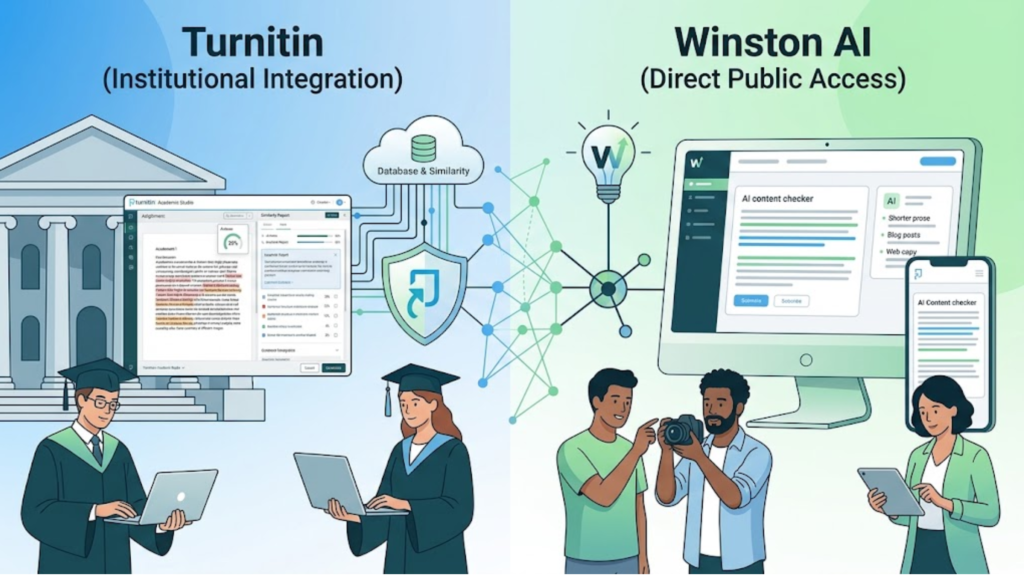
Turnitin AI Detector and Winston AI are both designed to identify AI-generated content, but they serve different audiences and offer distinct features. Turnitin is primarily built for educational institutions and integrates AI detection into its plagiarism detection platform. Winston AI, on the other hand, is available to individuals, businesses, publishers, and educators who want a standalone AI detection solution.
Choosing between the two depends on your needs, budget, and whether you have access to an institutional Turnitin account.
Accessibility
Accessibility is one of the biggest differences between the two platforms.
Turnitin AI Detector is available only through schools, colleges, and universities with an eligible Turnitin subscription. Most users cannot create a personal Turnitin account to check AI-generated content independently. Students typically submit assignments through their institution, while instructors and administrators can access AI Writing Reports.
Winston AI offers direct access through its own website. Individuals, freelancers, agencies, publishers, and businesses can create an account and begin checking documents without being affiliated with an educational institution. This makes it a practical option for users who need AI detection outside of academia.
AI Detection Accuracy
Both platforms use machine learning algorithms to analyze writing patterns, but their focus differs.
Turnitin AI Detector is optimized for academic submissions, including essays, research papers, and coursework. Its models are trained to support educational integrity, making it particularly useful in classroom environments.
Winston AI is designed to detect AI-generated content across a broader range of documents. It supports content created by popular AI models such as ChatGPT, Claude, Gemini, and other large language models. The platform is frequently updated to keep pace with evolving AI writing technologies, making it suitable for bloggers, marketers, publishers, and professional writers.
Neither platform guarantees perfect accuracy. AI detection results should always be interpreted carefully and used alongside human review.
File and Language Support
Both tools support common document formats, but their capabilities differ.
Turnitin works primarily with assignment files submitted through its educational platform. Supported file types generally include documents such as Microsoft Word, PDF, and other standard academic formats accepted by Turnitin.
Winston AI supports multiple file formats and also includes Optical Character Recognition (OCR), allowing users to analyze text contained within scanned PDFs and image-based documents. This additional flexibility can be beneficial for organizations working with different document types.
Language support may also vary depending on the platform version and available features. Users should verify supported languages before relying on AI detection for multilingual content.
Reporting Features
The reporting experience reflects each platform’s primary audience.
Turnitin combines AI detection with its well-known Similarity Report. Instructors can review AI Writing Reports alongside plagiarism results, making it easier to evaluate originality and citation practices in one interface.
Winston AI provides dedicated AI detection reports that identify sections of text likely to be AI-generated. Depending on the subscription plan, users may also receive readability insights, document history, and downloadable reports that can be shared with clients or team members.
For educators, Turnitin’s integrated workflow may be more convenient, while independent professionals may prefer Winston AI’s standalone reporting features.
Best Use Cases
Each platform performs best in different scenarios.
Turnitin AI Detector is best for:
- Schools and universities
- Instructors and professors
- Academic integrity programs
- Student assignment evaluation
- Institutions already using Turnitin
Winston AI is best for:
- Content creators
- Bloggers and publishers
- SEO professionals
- Marketing agencies
- Businesses reviewing AI-generated content
- Freelancers and independent writers
Selecting the right tool depends largely on whether your primary goal is academic assessment or professional content verification.
Pros and Cons Comparison
| Feature | Turnitin AI Detector | Winston AI |
| Primary Audience | Educational institutions | Individuals, businesses, publishers, and educators |
| Direct Public Access | No | Yes |
| AI Detection | Yes | Yes |
| Plagiarism Detection | Yes (Similarity Report) | No built-in plagiarism checker |
| Best For | Academic assignments | General AI content detection |
| OCR Support | Limited | Yes |
| Standalone Account | Not typically available | Available |
| Reporting | AI Writing Report + Similarity Report | Dedicated AI detection reports |
| Ideal Users | Teachers, professors, universities | Writers, marketers, agencies, students, businesses |
Both Turnitin AI Detector and Winston AI are capable AI detection solutions, but they address different needs. If you’re an instructor working within an educational institution, Turnitin offers a seamless workflow that combines plagiarism checking with AI detection. If you’re an individual, content creator, or business without access to Turnitin, Winston AI provides a convenient standalone alternative for evaluating AI-generated content.
When Winston AI May Be the Better Choice
While Turnitin AI Detector is an excellent solution for schools and universities, it isn’t the right fit for every user. Since access is typically limited to educational institutions with an active Turnitin subscription, many individuals and organizations need an alternative they can use independently.
Winston AI is designed to fill that gap. It offers direct access to AI detection tools and includes features that appeal to content creators, businesses, publishers, marketing agencies, and freelance professionals. Here are some situations where Winston AI may be the better choice.
Direct Access Without an Institutional Account
One of Winston AI’s biggest advantages is accessibility. Unlike Turnitin, which is generally available only through schools and universities, Winston AI allows anyone to create an account and start checking content.
This makes it a practical option for:
- Freelance writers
- Bloggers
- SEO professionals
- Content marketing agencies
- Businesses
- Publishers
- Independent researchers
If you don’t have access to a university-issued Turnitin account, Winston AI provides a straightforward way to evaluate AI-generated content without relying on an educational institution.
Detection Beyond Standard AI Checks
Winston AI is designed to analyze content created by modern AI language models while supporting a wide range of writing scenarios. Instead of focusing exclusively on academic assignments, it can be used to review blog posts, website copy, marketing content, business documents, reports, and other professional materials.
This broader focus makes it useful for organizations that want to verify content originality before publication or client delivery.
Whether you’re reviewing SEO articles, product descriptions, or long-form guides, Winston AI aims to help identify text that may have been generated or heavily influenced by AI writing tools.
OCR Support for PDFs and Images
Another feature that sets Winston AI apart is its Optical Character Recognition (OCR) capability.
Winston AI uses OCR technology to extract text from scanned PDFs and image-based files before analyzing them for AI-generated content. This can be especially valuable when working with:
- Scanned PDFs
- Printed documents
- Screenshots
- Image-based reports
- Digitized records
Instead of manually copying text into an editor, users can upload supported files and allow Winston AI to process the content automatically.
Team Collaboration and Integrations
For businesses and agencies, collaboration features can be just as important as detection accuracy.
Winston AI offers tools that help teams review and manage content more efficiently. Depending on your subscription plan, Winston AI may include features such as:
- Shared workspaces
- Centralized document management
- Team access
- Workflow-friendly reporting
- Integrations with selected productivity tools
These capabilities can simplify content review processes for organizations that publish or evaluate large volumes of written material.
AI Detection Certificates
Winston AI also provides AI detection certificates for analyzed documents. These certificates summarize the detection results and can be shared with clients, editors, or other stakeholders when appropriate.
For agencies, publishers, and freelance writers, a detection certificate can help demonstrate that content has been reviewed using Winston AI before publication. While a certificate does not guarantee that a document is entirely human-written, it can add transparency to the content review process and support quality assurance workflows.
Overall, Winston AI is often the better choice for users who need a standalone AI detection platform with direct access, flexible document support, collaboration features, and reporting tools. Turnitin remains the preferred option for educational institutions, while Winston AI is well suited to individuals and organizations looking for a broader, more accessible AI detection solution.
Which AI Detection Tool Should You Choose?
The right AI detection tool depends on how you plan to use it. Turnitin AI Detector and Winston AI are designed for different audiences, so there isn’t a single “best” option for everyone. If you’re an educator working within a university, Turnitin may be the better fit. If you’re an independent writer or business owner, Winston AI may offer greater flexibility.
Here’s a closer look at which tool is best suited for different users.
Best for Teachers
Recommended Tool: Turnitin AI Detector
For teachers, professors, and academic staff, Turnitin AI Detector is often the most practical choice. It integrates directly with Turnitin’s Similarity Report, allowing educators to review plagiarism and AI writing analysis in one platform.
Key benefits for teachers include:
- Integrated with classroom assignment workflows.
- AI Writing Reports and Similarity Reports in one place.
- Supports academic integrity policies.
- Designed specifically for evaluating student submissions.
- Accessible through institutional learning management systems (LMS).
If your school already uses Turnitin, there’s usually no need to purchase a separate AI detection tool.
Best for Students
Recommended Tool: Depends on Your Needs
Students typically cannot access Turnitin AI Detector independently because educational institutions manage it. If your instructor has enabled student access to AI reports, you may be able to view limited results after submitting your assignment.
If you want to review your writing before submission and don’t have access to Turnitin, a standalone tool like Winston AI may be a practical alternative.
Regardless of the tool you use, the best way to avoid academic integrity concerns is to:
- Write in your own words.
- Cite all sources correctly.
- Use AI responsibly according to your institution’s policies.
- Review and revise your work before submitting it.
Best for Content Publishers
Recommended Tool: Winston AI
Content publishers, bloggers, editors, and SEO professionals often need to verify articles before publishing them online. Since they usually don’t have access to institutional Turnitin accounts, Winston AI is often the more suitable option.
It can be useful for reviewing:
- Blog posts
- News articles
- Website content
- Product descriptions
- Guest posts
- Long-form SEO content
For publishers managing multiple contributors, AI detection can become part of the editorial workflow, helping maintain originality and transparency before content goes live.
Best for Businesses and Agencies
Recommended Tool: Winston AI
Businesses, marketing agencies, and freelance teams frequently produce large volumes of content for clients. They often need an AI detection solution that supports collaboration, flexible document uploads, and independent account access.
Winston AI is generally better suited to these environments because it offers features designed for professional content review rather than academic assessment.
It may be particularly useful for:
- Digital marketing agencies
- Content writing services
- SEO agencies
- Copywriting teams
- Corporate communications departments
- Freelance professionals
These organizations can use AI detection as one step in their quality assurance process before delivering content to clients or publishing it online.
Final Recommendation
Choose Turnitin AI Detector if you’re an educator or educational institution that already uses Turnitin for assignment management and plagiarism detection.
Choose Winston AI if you need a standalone AI detection platform for professional writing, publishing, content marketing, or business use without requiring access through a school or university.
Ultimately, the best AI detection tool is the one that aligns with your workflow, access requirements, and the type of content you need to evaluate.
Tips for Creating Original, AI-Assisted Content Responsibly
AI writing tools can save time and help overcome writer’s block, but they should be used as assistants—not replacements for your own thinking. Whether you’re writing an academic paper, blog post, business report, or research article, the goal should always be to produce content that reflects your knowledge, critical thinking, and unique perspective.
The following best practices can help you use AI responsibly while creating authentic, high-quality content.
Write in Your Own Voice
The easiest way to make your content original is to write in your own words. If you use AI to brainstorm ideas or create a rough outline, treat the output as a starting point rather than the finished product.
Instead of copying AI-generated text directly:
- Rewrite information using your natural writing style.
- Share your own experiences or observations where appropriate.
- Adjust the tone to match your audience.
- Remove repetitive or generic phrases.
- Make sure the final content sounds like you, not a chatbot.
Your unique perspective is something AI cannot replicate, and it adds value that readers appreciate.
Verify Facts and Sources
AI tools can occasionally produce outdated information, factual errors, or fabricated references. Before including any AI-generated content in your work, verify the information using reliable sources.
Good fact-checking habits include:
- Confirm statistics with trusted organizations.
- Cross-check information using multiple reputable sources.
- Verify publication dates and recent developments.
- Ensure quotes are accurate and properly attributed.
- Replace unsupported claims with evidence from credible references.
Taking a few extra minutes to verify facts improves both the accuracy and credibility of your writing.
Add Personal Analysis
One of the biggest differences between average content and excellent content is original insight.
Rather than simply repeating information generated by AI, expand on it by explaining why it matters. Analyze the topic, connect ideas, provide examples, and share your own conclusions.
For example, you can:
- Compare different viewpoints.
- Discuss real-world applications.
- Include case studies or examples.
- Explain advantages and disadvantages.
- Offer practical recommendations based on your understanding.
Adding thoughtful analysis makes your content more valuable to readers and helps distinguish it from generic AI-generated text.
Cite References Properly
Whenever you use information, ideas, research findings, or quotations from external sources, cite them according to the citation style required for your work, such as APA, MLA, Chicago, or Harvard.
Proper citations help:
- Give credit to original authors.
- Support your arguments with reliable evidence.
- Reduce the risk of plagiarism.
- Strengthen the credibility of your writing.
Even if AI provides information, you should locate and cite the source rather than relying solely on the AI-generated response.
Revise Before Submission
Never submit the first draft—whether it was written by you, AI, or a combination of both. Careful revision is essential for improving clarity, accuracy, and originality.
Before submitting your work:
- Read the entire document from beginning to end.
- Remove awkward or repetitive wording.
- Check grammar, spelling, and punctuation.
- Ensure ideas flow logically between paragraphs.
- Verify all facts, figures, and citations.
- Confirm that the content reflects your own understanding and writing style.
A thorough editing process not only improves readability but also helps produce work that is more authentic and aligned with academic or professional standards.
Using AI responsibly is about enhancing your writing—not replacing your creativity or critical thinking. By writing in your own voice, verifying information, adding meaningful insights, citing reliable sources, and carefully revising your work, you can create content that is both original and trustworthy while making the most of modern AI tools.
Final Thoughts
Turnitin AI Detector has become an important tool for supporting academic integrity in schools and universities. By analyzing writing patterns, it helps educators identify submissions that may require additional review. However, its results are estimates—not definitive evidence of AI use—and should always be interpreted carefully.
If you’re an instructor or administrator with access to Turnitin, the platform provides a convenient way to review AI Writing Reports alongside Similarity Reports, making it easier to evaluate student submissions within a single workflow.
For users who don’t have access to an institutional Turnitin account, a standalone solution like Winston AI may be a more practical choice. Its direct accessibility, broader document support, and features for content creators, businesses, and agencies make it well suited for professional publishing and content verification.
Ultimately, no AI detector is perfect. Whether you use Turnitin, Winston AI, or another detection tool, the most reliable approach combines automated analysis with human expertise. Reviewing writing quality, verifying sources, considering the context of the assignment, and applying professional judgment are all essential steps in making fair and informed decisions.
As AI writing technology continues to evolve, responsible use of AI detection tools will remain just as important as responsible use of AI itself. The goal should not be to rely solely on software but to promote originality, critical thinking, and transparency in academic and professional writing.
Frequently Asked Questions
Can Students Use Turnitin AI Detector?
Usually, no. Most students cannot access Turnitin AI Detector directly. AI Writing Reports are typically available only to instructors, depending on the institution’s settings.
Is Turnitin AI Detector Free?
No. Turnitin AI Detector is part of a paid institutional subscription and isn’t available as a free standalone tool.
Can Turnitin Detect ChatGPT?
Yes. Turnitin can identify writing patterns associated with ChatGPT and other AI tools, but it cannot confirm which AI model was used.
Does Turnitin Detect Paraphrased AI Content?
Sometimes. Lightly edited AI text may still be detected, while heavily rewritten content with original ideas can be harder to identify.
Can Turnitin Make Mistakes?
Yes. Like all AI detectors, Turnitin can produce false positives and false negatives. Human review is always recommended.
What Is Considered a Good AI Score?
There is no universal “good” score. AI percentages should be interpreted alongside the assignment, writing style, and other evidence.
Is Turnitin Better Than Winston AI?
It depends on your needs. Turnitin is ideal for educational institutions, while Winston AI is better for individuals, publishers, and businesses.
Which AI Detector Is the Most Accurate?
No AI detector is 100% accurate. Turnitin, Winston AI, and other leading tools all have strengths and limitations, so results should always be verified through human evaluation.
About the Author